✅ Tickit
A beautiful terminal task manager
for power users
Manage tasks, lists, tags, and due dates with a gorgeous TUI — or use the CLI for quick task management.
brew install ricardodantas/tap/tickit cargo install tickit 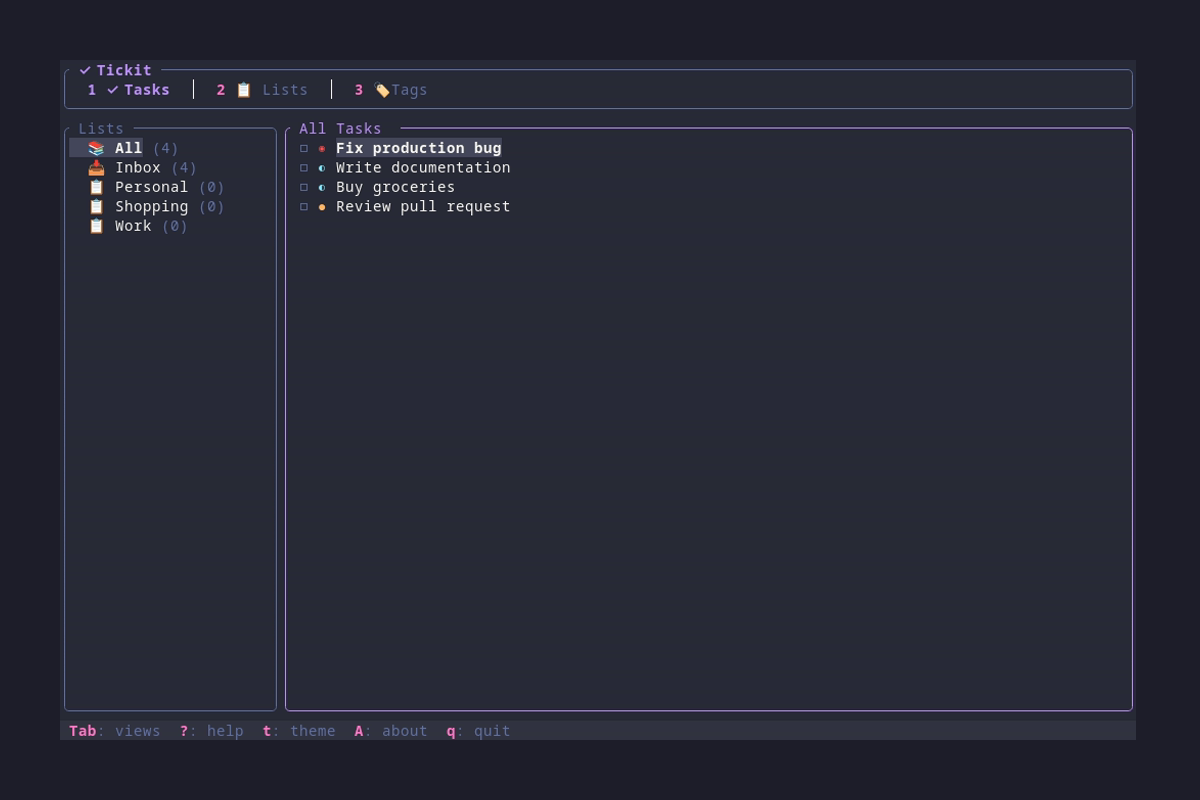
Features
Task Management
Create, edit, and organize tasks with priorities (low, medium, high, urgent) and track completion status.
Lists
Organize tasks into custom lists with icons. Default Inbox list keeps unassigned tasks together.
Tags
Add color-coded tags to tasks for flexible categorization. Filter tasks by tags instantly.
Due Dates
Set due dates for tasks. Visual indicators show overdue (red), soon (yellow), and upcoming dates.
Beautiful TUI
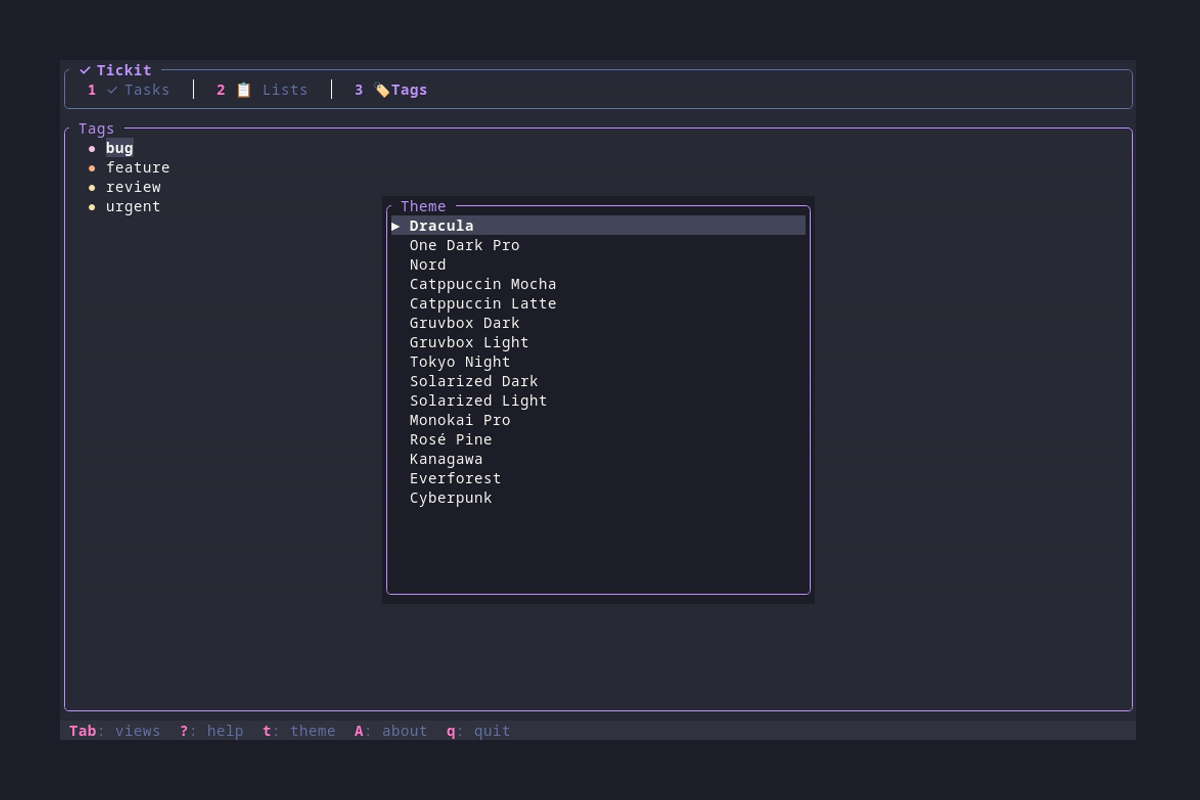
Navigate with keyboard shortcuts through an intuitive terminal interface with 15 gorgeous themes.
Powerful CLI
Quick task management from the command line. Add tasks, list, complete, and export without entering the TUI.
Export Formats
Export your tasks to JSON, Markdown, CSV, or todo.txt format for backup or integration.
Desktop Notifications
Get notified for tasks due today, tomorrow (high priority), or overdue. Works on Linux, macOS, and Windows.
Self-Hosted Sync
Sync tasks across devices with tickit-sync. Your data, your server, complete privacy.
CLI Examples
➕ Add Tasks
# Add a simple task
tickit add "Buy groceries"

# Add with priority and due date
tickit add "Project deadline" -p high --due 2026-02-15

# Add with tags and list
tickit add "Review PR" -l Work -t urgent,code
📋 List Tasks
# List all incomplete tasks
tickit list

# List tasks in a specific list
tickit list -l Work

# Show all tasks including completed
tickit list --all
✅ Complete & Export
# Complete a task
tickit done <task-id>

# Export to Markdown
tickit export --format markdown > tasks.md

# Export to todo.txt format
tickit export --format todotxt15 Beautiful Themes
Customize your experience with gorgeous color schemes including Dracula, Nord, Tokyo Night, and more.
Quick Start
Install
brew install ricardodantas/tap/tickit or cargo install tickit
Add Your First Task
tickit add "My first task" Launch the TUI
tickit Navigate & Manage
Use j/k to move, n to add tasks, Space to toggle complete, ? for help